
Follow the steps below to complete your application fee payment through the SBI iCollect Payment Gateway.
Login to the recruitment portal and click on the Pay Now button. You will be redirected to the SBI iCollect Payment Gateway.
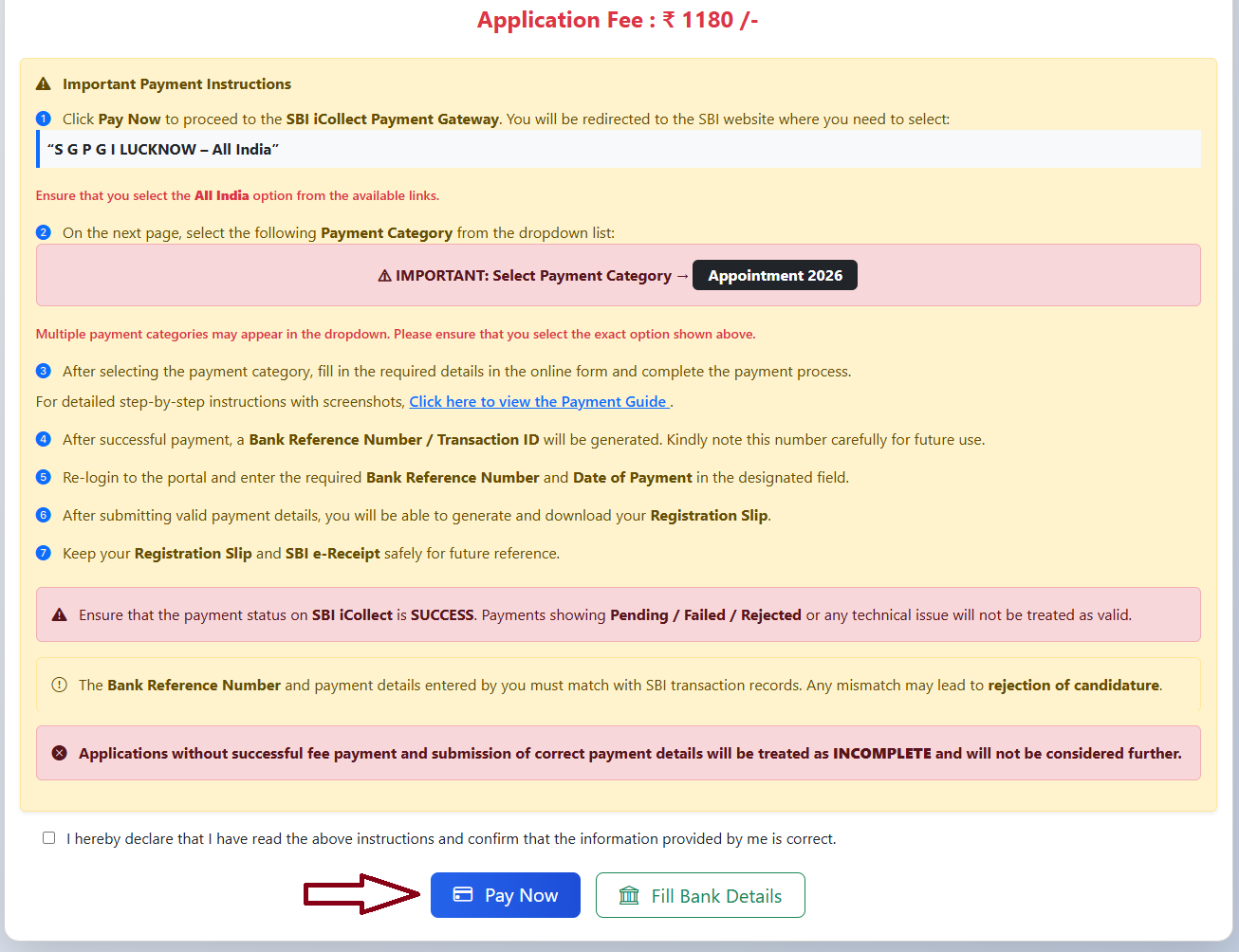
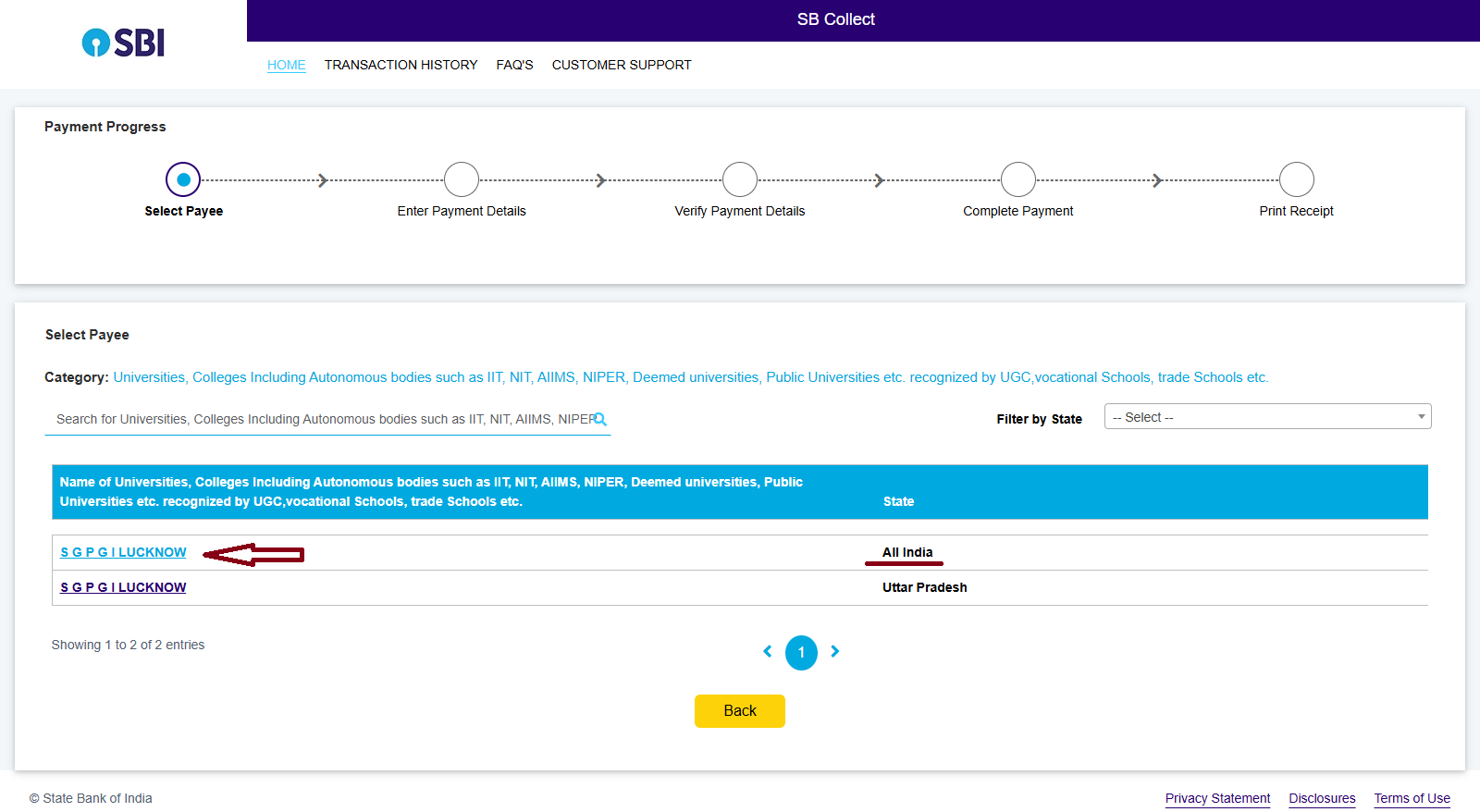
On the SBI iCollect page, you will see two links for SGPGI Lucknow. Please select the following option carefully:
- S G P G I LUCKNOW – All India
Do NOT select any other option.
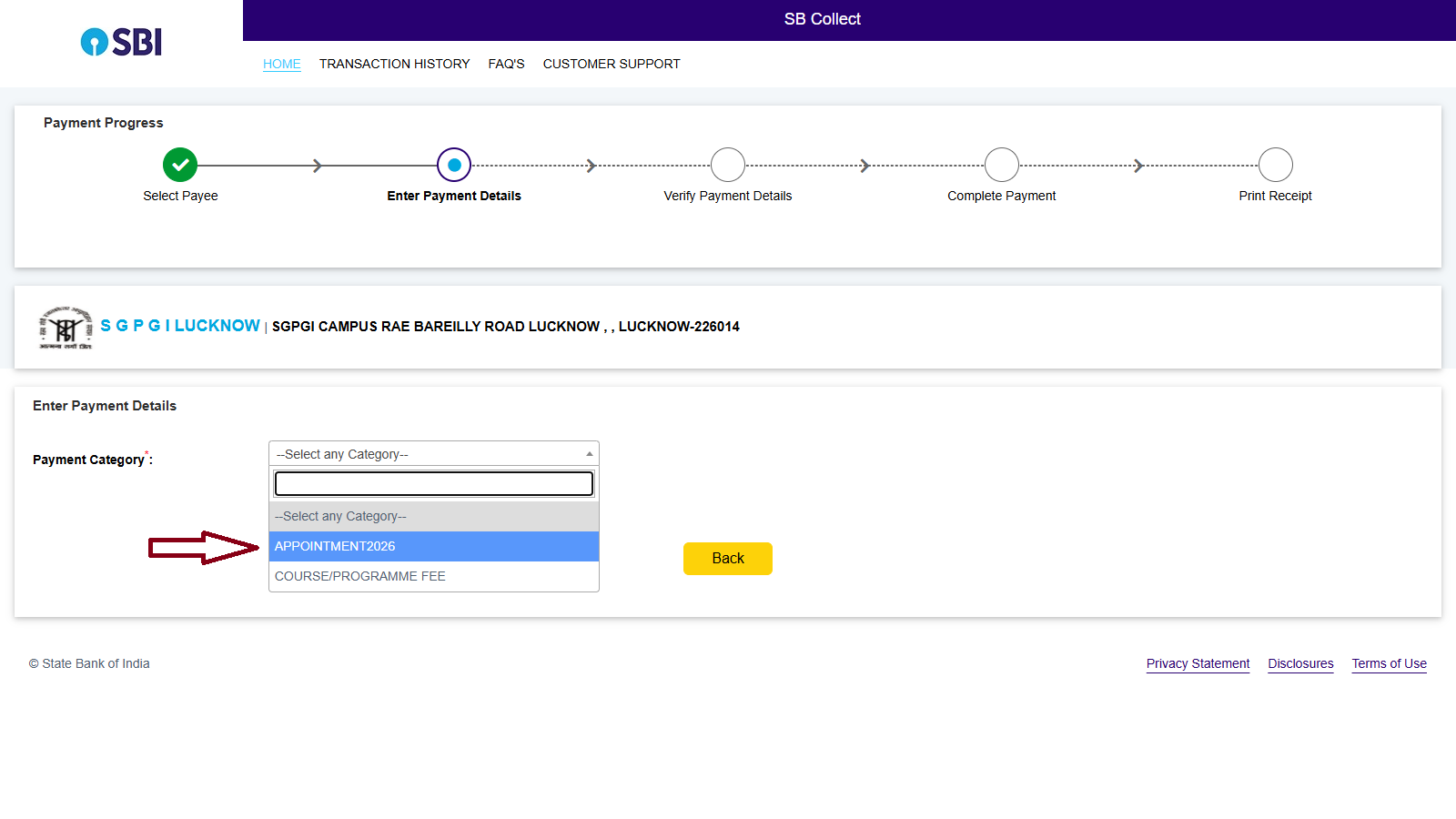
On the next page, select the correct payment category from the dropdown list.
Multiple options may appear in the dropdown. Please ensure that you select Appointment 2026 only.
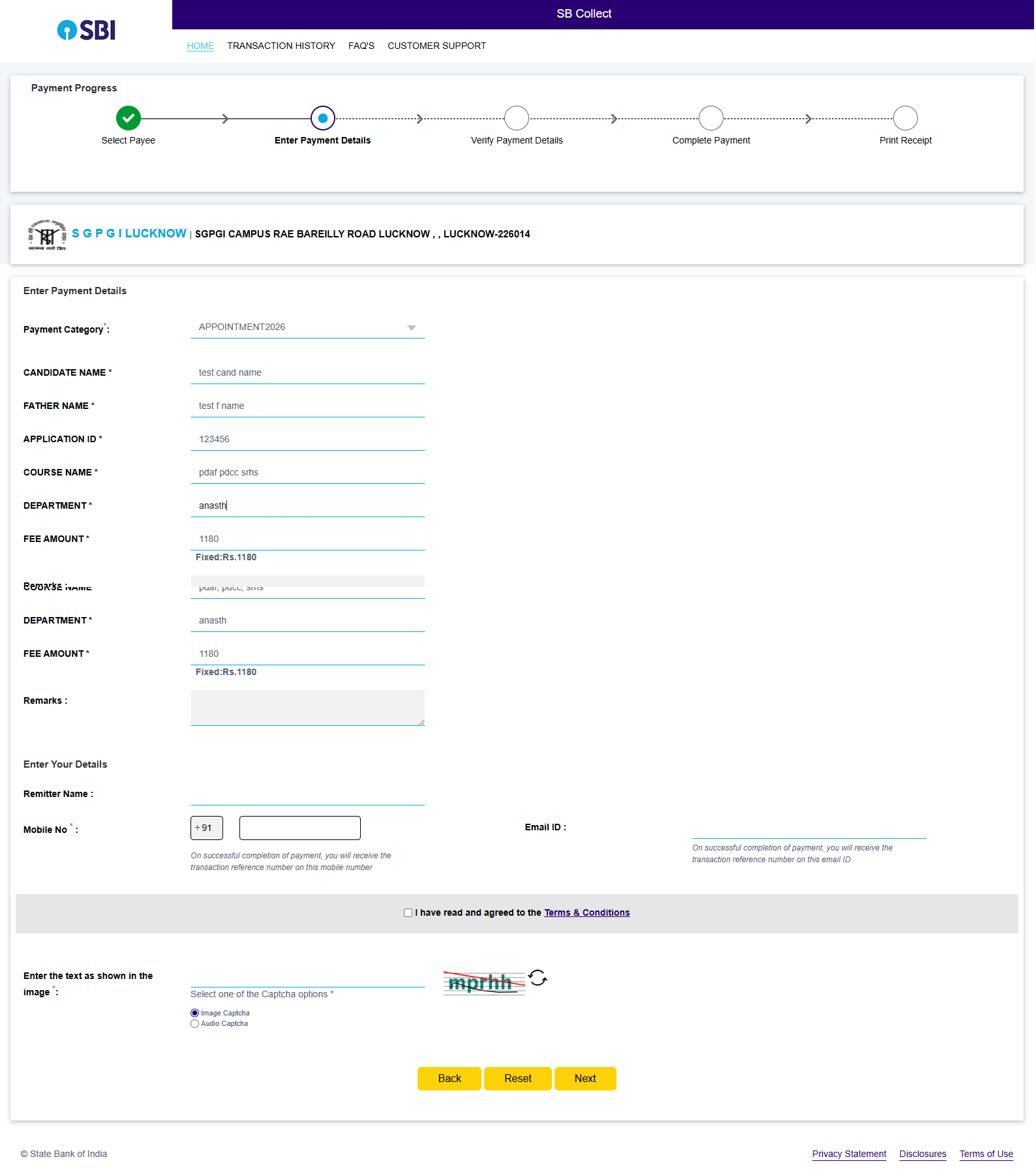
Fill the required details in the payment form such as:
- Candidate Name
- Father Name
- Application Id
- Course / Department
- Other required information
After filling all details correctly, click Submit.
After submitting the form, a Preview Page will appear showing all the details you entered.
Please carefully verify the following information:
- Candidate Name
- Application ID
- Course / Department
- Fee Amount
If all details are correct, click Confirm to proceed to the payment page.
Important: Once confirmed, the details cannot be modified.
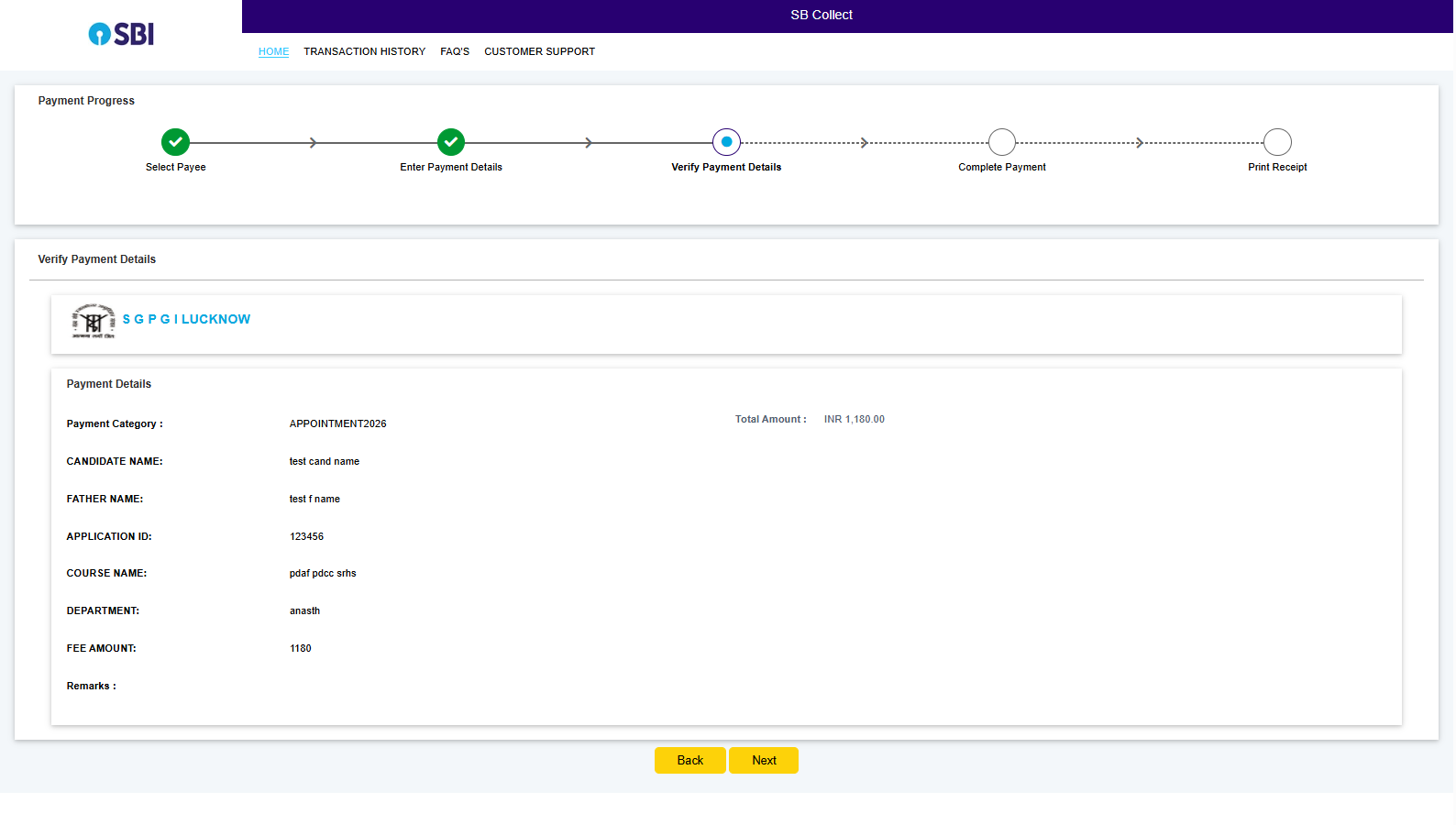
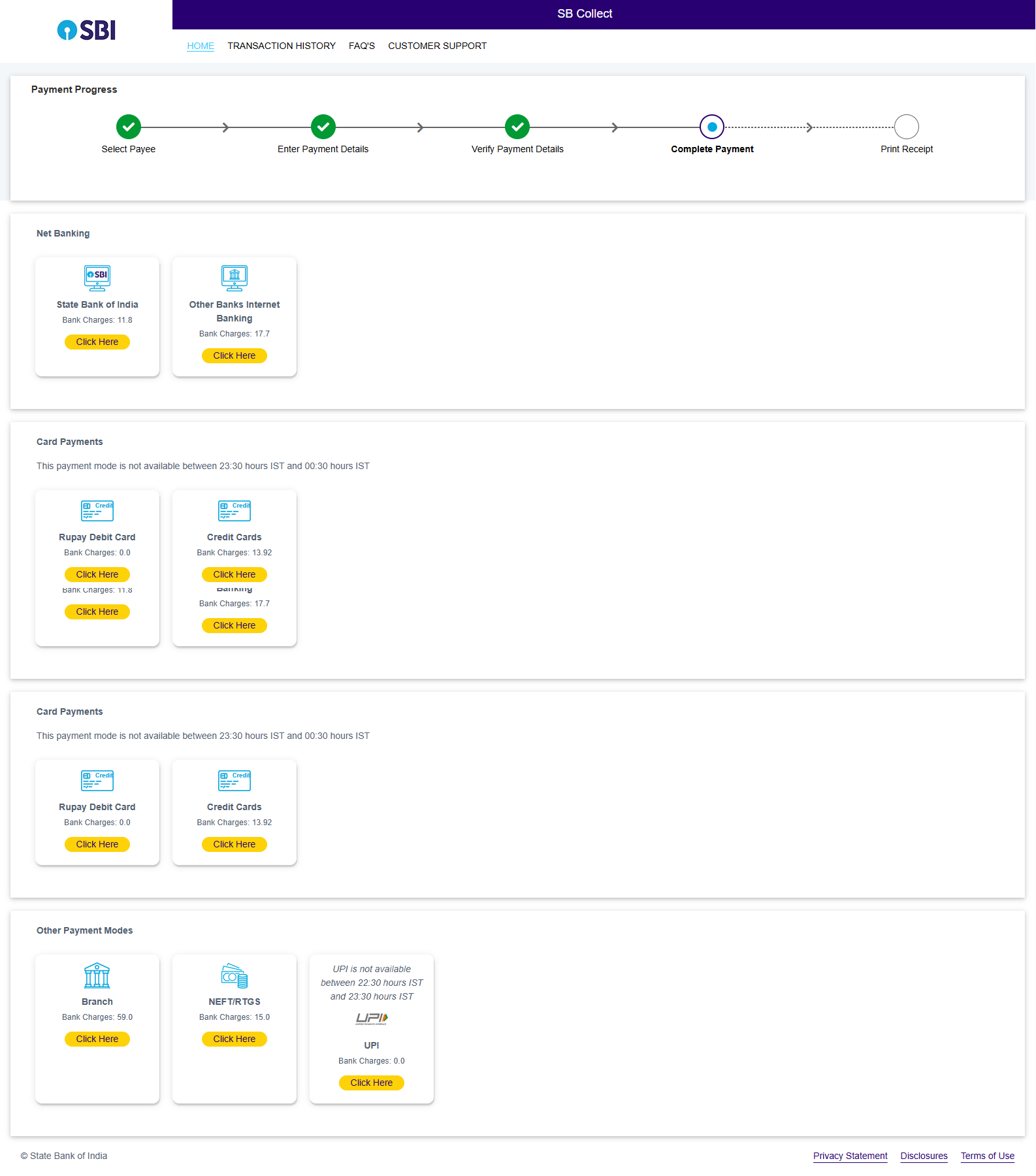
After confirming the preview details, you will be redirected to the payment page.
Select your preferred payment method:
- Net Banking
- Debit Card
- Credit Card
- UPI
After successful payment, the system will generate a Bank Reference Number / Transaction ID.
After successful payment, download and keep the following documents safely:
- SBI e-Receipt
- Bank Reference Number
You will need the Bank Reference Number to complete your application process on the recruitment portal.